Web Development
How to Create a Website Using HTML and CSS: A Beginner’s Guide
Learn how to create your first website using HTML and CSS. This beginner-friendly guide covers website structure, styling, and practical steps to build a simple website.
- Author
- ADIZ CODEZ Team· Web Development Team
- Published
- 30 October 2026
- Read time
- 5 min
# How to Create a Website Using HTML and CSS: A Beginner’s Guide
Introduction
Have you ever wondered how websites are created? Every website you visit is built using technologies that help display text, images, buttons, and layouts.
HTML and CSS are two essential technologies for beginners who want to learn web development.
In this guide, we will learn how to create a simple website step by step.
1. What is HTML?
HTML stands for HyperText Markup Language. It is used to create the structure of a website.
HTML helps you add:
- Headings and paragraphs
- Images and links
- Buttons and lists
- Forms and tables
2. What is CSS?
CSS stands for Cascading Style Sheets. It controls the appearance of a website.
CSS helps you customize:
- Colors and backgrounds
- Fonts and text sizes
- Layouts and spacing
- Responsive designs
3. Tools You Need
To get started, you need:
- A computer or laptop
- Visual Studio Code
- A web browser such as Chrome
- Basic knowledge of using a computer
4. Create Your First HTML File
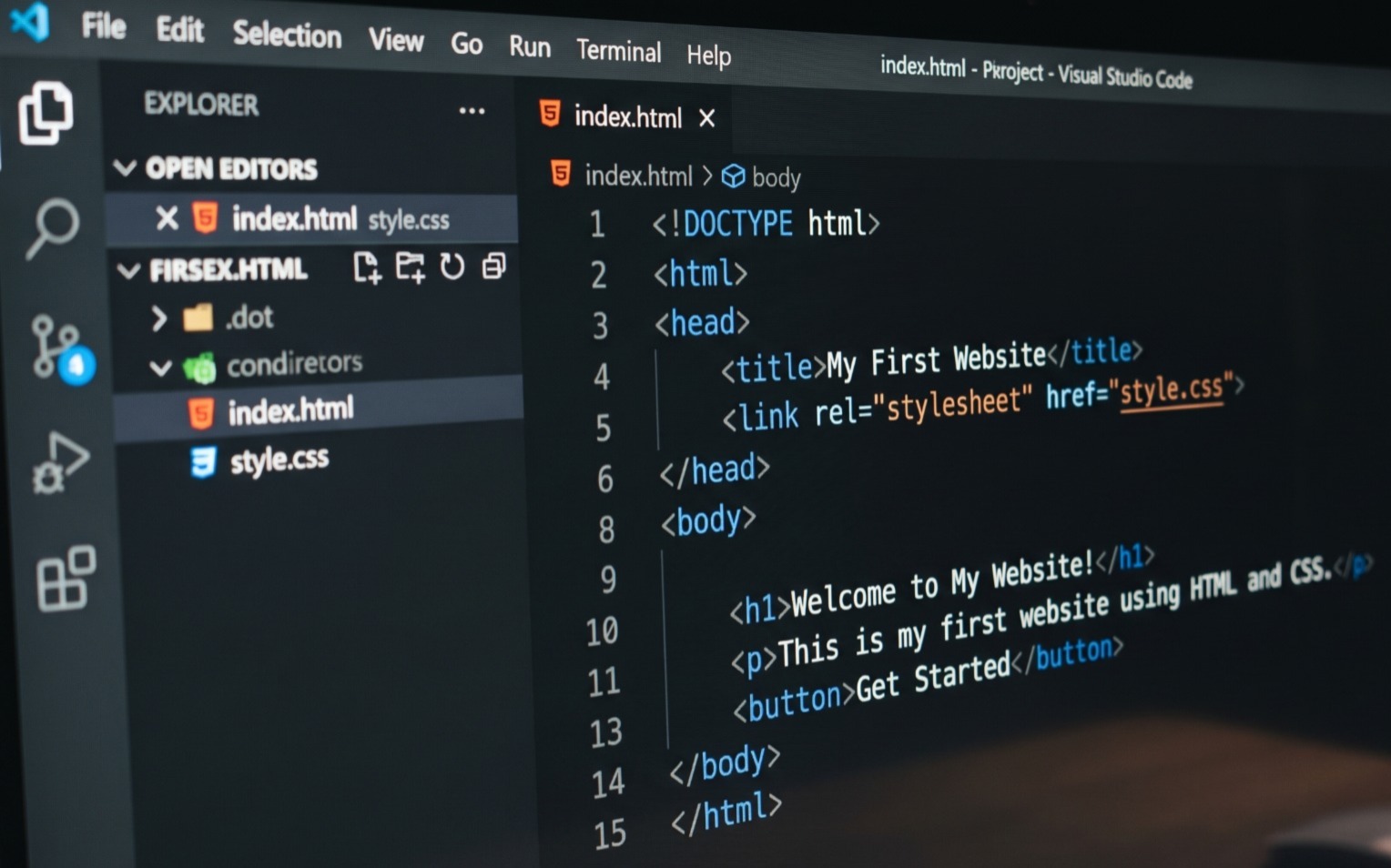
Open Visual Studio Code and create a new file named index.html.
Add this code:
! DOCTYPE html html
 head
 title My First Website / title
 / head


 Welcome to My Website!

 This is my first website using HTML and CSS.

 Get Started

 / body
 / html
5. Add CSS Styling
Create another file named style.css in the same folder.
Add this code:
cssbody {
 font-family: Arial, sans-serif;
 background-color: #f4f4f4;
 text-align: center;
 padding: 50px;
}

h1 {
 color: #6c3ce9;
}

p {
 color: #555;
 font-size: 18px;
}

button {
 background-color: #6c3ce9;
 color: white;
 padding: 12px 25px;
 border: none;
 border-radius: 6px;
 cursor: pointer;
}
6. View Your Website
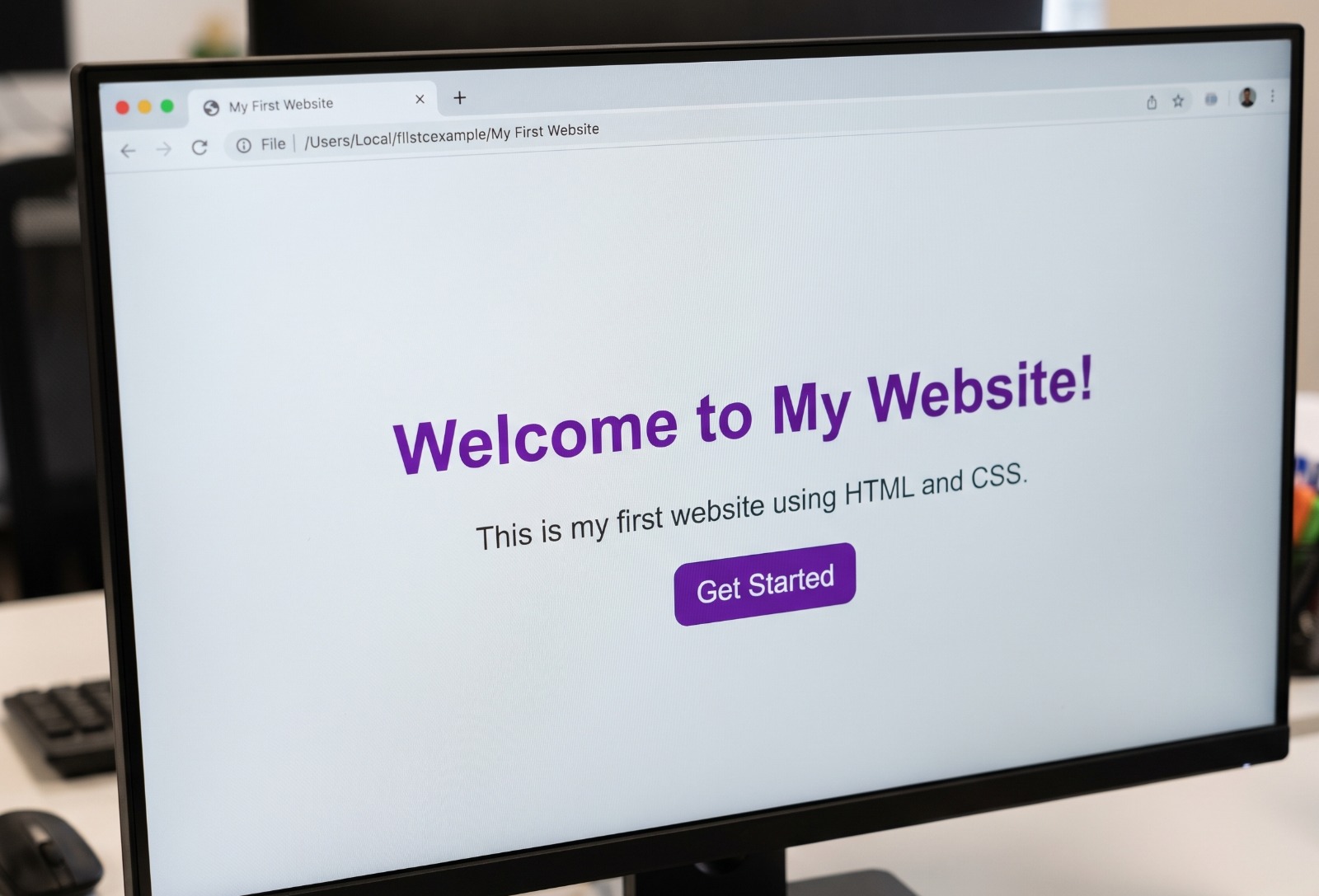
Save both files and open index.html in your browser.
Congratulations! You have created your first basic website.
7. What Should You Learn Next?
After learning HTML and CSS, explore:
- JavaScript fundamentals
- Responsive web design
- Bootstrap
- Website hosting
- Basic SEO
Conclusion
Learning HTML and CSS is a great first step toward becoming a web developer. Start with small projects, practice regularly, and gradually build more advanced websites.
Want to learn web development?
Explore more beginner-friendly tutorials and technology resources with ADIZ CODEZ.
Visit: https://www.adizcodez.com/
Gallery